
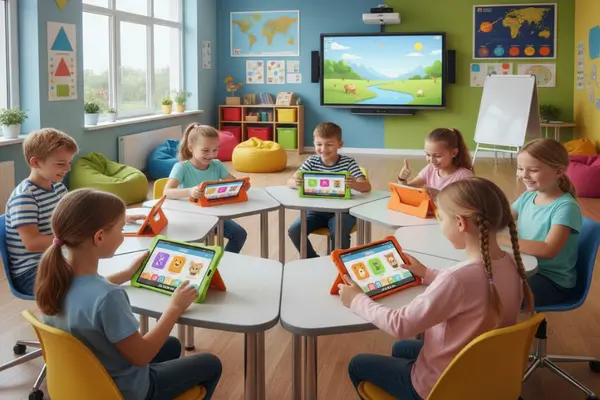
Best Educational Apps for Kids in 2026: Fun and Interactive Learning Apps for Children
Introduction
Technology has become an important part of children’s daily lives, and in 2026, educational apps are transforming the way kids learn and explore new ideas. Instead of simply spending time on entertainment, children can now use interactive learning apps that improve reading, math, creativity, communication, and problem-solving skills in a fun and engaging way.
Parents today are searching for safe and effective educational apps that make screen time more meaningful. The good news is that many apps are specifically designed to support children’s development while keeping them entertained. Whether your child is learning the alphabet, practicing multiplication, or exploring creative storytelling, there are apps available for every age and learning style.
In this guide, we’ll explore the best educational apps for kids in 2026 that combine learning with fun, helping children build confidence and important life skills from home or on the go.
Why Educational Apps Are Important for Kids
Educational apps are more than just digital games. They provide interactive experiences that help children stay curious and motivated while learning at their own pace.
Benefits of Educational Apps
- Encourage independent learning
- Improve creativity and critical thinking
- Make difficult subjects easier to understand
- Support school learning at home
- Increase engagement through games and rewards
- Build digital learning skills for the future
When used in moderation and combined with offline activities, educational apps can become a powerful tool for childhood development.
Best for Ages: 2–8 Years
ABCmouse continues to be one of the most trusted learning apps for young children in 2026. It offers a complete early learning program that includes reading, math, science, music, and art activities.
Children can follow a step-by-step learning path filled with colorful animations, songs, puzzles, and games that keep them engaged.
Key Features
- Interactive lessons and activities
- Reading and phonics programs
- Math and science games
- Progress tracking for parents
Why Parents Love It
ABCmouse helps children build foundational learning skills in a playful, stress-free way. The app feels like a game while still delivering educational value.
Best for Ages: 2–8 Years
Khan Academy Kids is one of the best free educational apps available for children. The app includes activities for reading, writing, math, social-emotional learning, and creativity.
Its personalized learning system adapts to your child’s progress and learning speed.
Key Features
- Completely free with no ads
- Personalized learning journey
- Interactive books and videos
- Fun reward system
Why It Stands Out
Parents appreciate the safe and ad-free environment, while children enjoy learning through fun activities and animated characters.
Best for Ages: 3–6 Years
Duolingo ABC focuses on helping young children develop reading and writing skills through interactive mini-games and phonics exercises.
The lessons are short and simple, making them ideal for young learners with shorter attention spans.
Key Features
- Phonics-based learning
- Interactive word games
- Child-friendly design
- Reward-based progress system
Why Kids Enjoy It
The app turns reading practice into an exciting adventure that motivates children to continue learning every day.
Best for Ages: 6–12 Years
Prodigy makes math fun by transforming it into a fantasy-style adventure game. Kids solve math problems to unlock rewards, complete challenges, and move through different levels.
Key Features
- Curriculum-based math questions
- Multiplayer game experience
- Personalized difficulty levels
- Progress reports for parents
Why It’s Effective
Many children who normally dislike math become excited to practice regularly because the app feels like a video game instead of schoolwork.
Best for Ages: 3–9 Years
Toca Boca apps are designed to encourage open-ended play and creativity. Instead of focusing on traditional lessons, these apps allow children to explore virtual worlds and create their own stories.
Key Features
- Creative role-playing activities
- Safe and ad-free environment
- Fun exploration-based gameplay
- Encourages imagination and storytelling
Why It’s Great for Development
Toca Boca helps children improve creativity, communication, and problem-solving skills through imaginative play.
Best for Ages: 6–14 Years
BrainPOP uses animated educational videos to explain topics like science, history, geography, math, and technology in a simple and entertaining way.
Key Features
- Animated educational content
- Quizzes and activities
- Covers multiple school subjects
- Easy-to-understand explanations
Why Students Love It
Visual learners especially benefit from BrainPOP because complex topics are explained through fun storytelling and animations.
Best for Ages: 2–12 Years
Epic! is one of the best reading apps for children in 2026. It offers thousands of digital books, audiobooks, and educational videos for different age groups.
Key Features
- Access to 40,000+ books
- Audiobooks for beginners
- Personalized recommendations
- Reading progress tracking
Why Parents Recommend It
Epic! encourages children to develop a daily reading habit while giving them access to age-appropriate educational content.
Best for Ages: 2–8 Years
Endless Learning Academy combines games, animations, and storytelling to teach early reading, math, and thinking skills.
Key Features
- Interactive lessons
- Engaging animated characters
- Fun learning games
- Focus on foundational education
Why Kids Stay Engaged
Its playful learning environment keeps children entertained while improving important early education skills.
How to Choose the Best Educational App for Your Child
Choosing the right app depends on your child’s age, interests, and learning goals.
1. Check Age Appropriateness
Always select apps designed for your child’s age group and developmental stage.
2. Prioritize Safety
Choose apps without harmful ads or unsafe online interactions.
3. Focus on Learning Goals
Decide whether you want your child to improve reading, math, creativity, language skills, or problem-solving.
4. Look for Interactive Features
Children learn better when apps include games, rewards, and engaging visuals.
5. Use Parental Controls
Apps with progress tracking and screen-time settings help parents manage learning effectively.
Tips for Healthy Screen Time in 2026
Educational apps are helpful, but balance is important..
Healthy Screen Time Tips
- Limit educational screen time for younger children
- Encourage outdoor activities and physical play
- Use apps together with your child when possible
- Take regular screen breaks
- Combine digital learning with books and hands-on activities
Balanced usage helps children enjoy the benefits of educational technology without becoming overly dependent on screens.
Frequently Asked Questions (FAQs)
Q1. What are the best educational apps for kids in 2026?
Some of the best educational apps include ABCmouse, Khan Academy Kids, Duolingo ABC, Prodigy, Toca Boca, BrainPOP, Epic!, and Endless Learning Academy.
Q2. Are educational apps safe for children?
Yes, most trusted educational apps are designed with child safety features, parental controls, and ad-free experiences.
Q3. Can educational apps replace school learning?
No. Educational apps should support traditional learning, not replace teachers or classroom education.
Q4. Which educational app is best for reading skills?
Duolingo ABC, Epic!, and ABCmouse are excellent apps for improving reading and literacy skills.
Q5. How much educational screen time is recommended for kids?
Experts generally recommend balanced educational screen time combined with physical activities, outdoor play, and family interaction.
Conclusion
Educational apps in 2026 are making learning more exciting, interactive, and accessible for children of all ages. From reading and math to creativity and critical thinking, these apps provide valuable opportunities for kids to learn while having fun.
Parents can turn screen time into productive learning time by choosing safe, engaging, and age-appropriate educational apps. With the right balance of technology and real-world activities, children can develop important skills that support both academic success and lifelong learning.